OnSkin for Beginners: How to Personalize Your Skincare Routine

Your guides through the skincare chaos
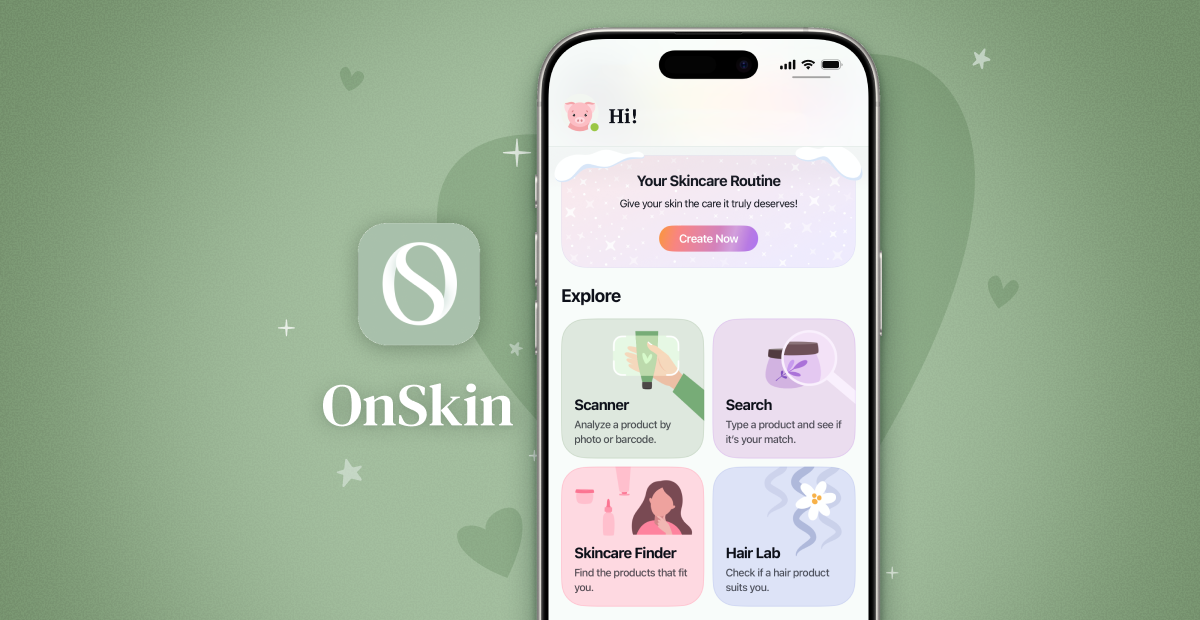
Thinking about trying OnSkin? This beginner-friendly guide explains what the app does, how to get started, and how to use its core tools in just a few simple steps.
What Is the OnSkin App?
OnSkin is a skincare ingredient checker available on iOS and Android. It lets you scan any product you’re using or considering in a store. The app analyzes its formula, tells you its safety rating, highlights any ingredients you should avoid, and shows if the product matches your skin type and concerns. Best of all, to get results, you only need to do one of three simple things: take a picture of the product, scan its barcode, or search for it manually in the app.
In fact, OnSkin is much more than that. But let’s take it step by step.
You’ve Mentioned the Safety Rating. What’s That and Why Should I Trust It?
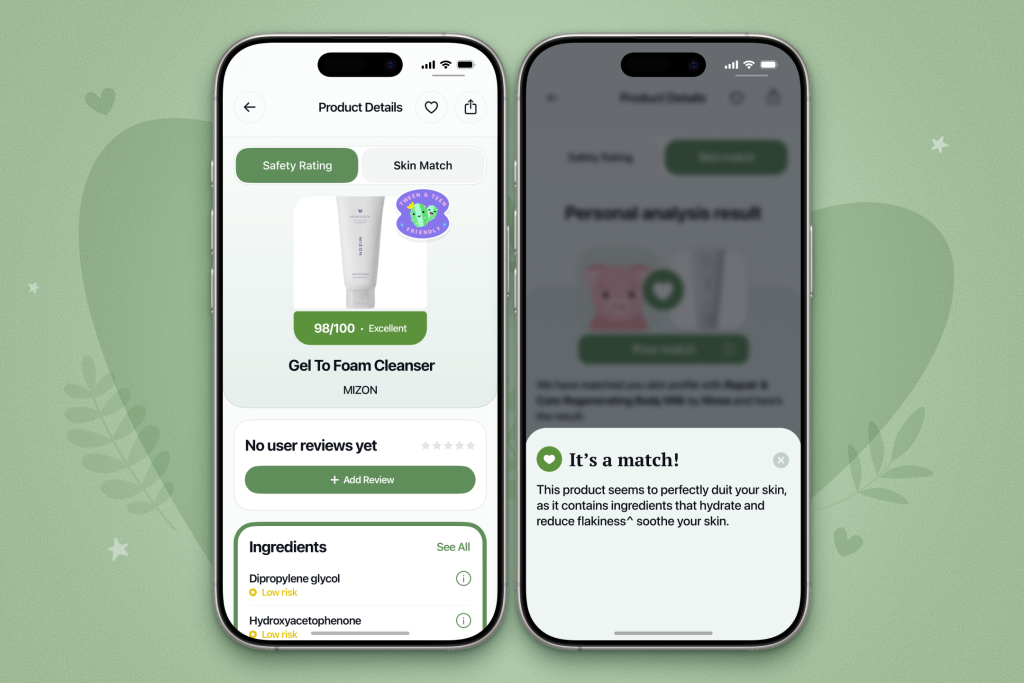
Fair question. To determine whether a product is safe for you, our medical team carefully analyzes and evaluates its ingredients and assigns a safety rating. You can see it immediately after scanning a product.
Ratings range from 0 (the lowest) to 100 (the highest) across four levels:
- Excellent (76–100)
- Good (51–75)
- Not great (26–50)
- Bad (0–25)
These scores are based on the latest scientific research. We lean heavily on regularly updated databases and trusted sources such as IARC (the International Agency for Research on Cancer), the California EPA (California Environmental Protection Agency), and the European Commission (EC). You can find links to the sources we used on each ingredient’s page. OnSkin doesn’t partner with any brands or products, so the ratings are unbiased.
Got It. And What About Skin Match?
Taking into account your skin type, age, skincare goals, and other preferences (we’ll talk about all of them soon), OnSkin evaluates how well a product suits your unique skin needs.
The product you’re checking will be labeled as one of three options:
- It’s a match!
- Hit-or-miss
- Not a match for you
OnSkin also identifies ingredient groups, such as Anti-acne, Anti-inflammatory, Moisturizing, May be drying, Comedogenic, and more. Tap any group to see exactly which ingredients in the product belong to it.
Sounds Impressive. How Do I Start?
It comes down to 3 simple steps.
1. Install the app.
Download OnSkin from the App Store or Google Play. You can also use this link for both platforms to skip the search process.
2. Sign in.
Sign in to access all features, including personalized recommendations.
3. Take a short quiz.
The final step before you start using the app is a very short quiz. It has nine questions, each helping the app to understand your skin and hair better so it can provide precise recommendations later. For instance, the quiz asks you to choose your hair and skin type (here’s a quick reminder on how to determine it if you’re unsure), tell it about your skin concerns, your goals, and more.
You don’t need to write anything; just choose one of the available options.
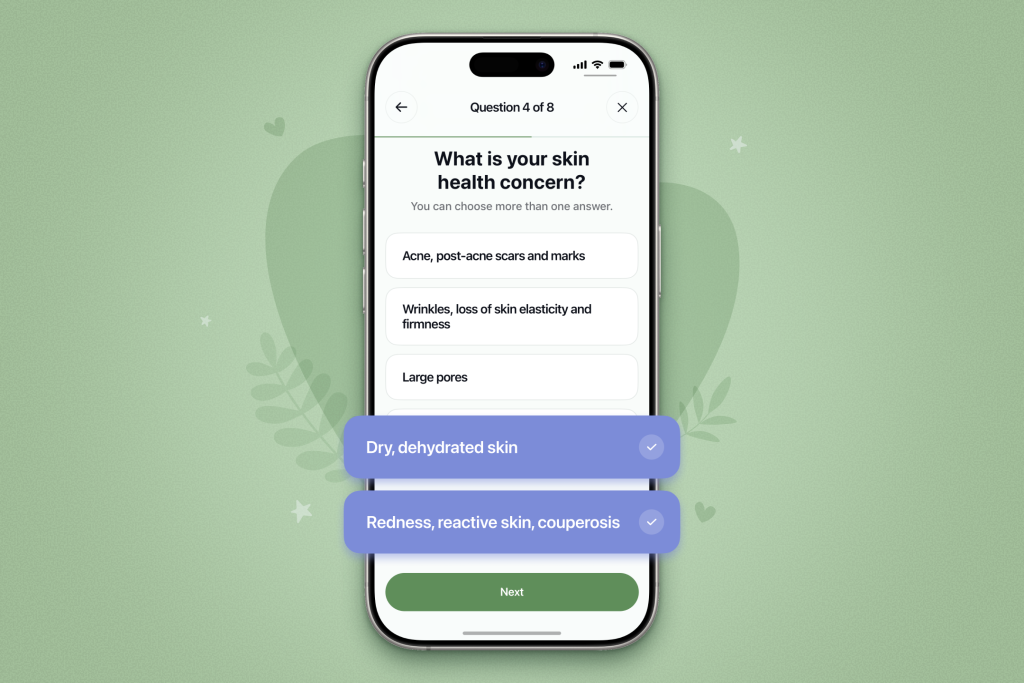
And just in case you answered incorrectly or want to update an answer that’s no longer relevant, you can retake the quiz at any time in your profile settings.
What Tools Can I Use Now?
You can scan skincare products to check whether they’re safe and suitable for you, search for specific products by name or type, and generate a personalized skincare routine based on your skin type, concerns, and goals.
Actually, there are more handy tools available, but for now, we’ll break down these core ones.
Skincare Ingredients Scanner
The Ingredients Scanner is at the core of OnSkin. With it, you can check any skincare product wherever you find it and see whether it’s safe for you and matches your skin type. Take a photo of the product or its barcode, and the app will do the rest.
Here’s how to do it:
- Open the app.
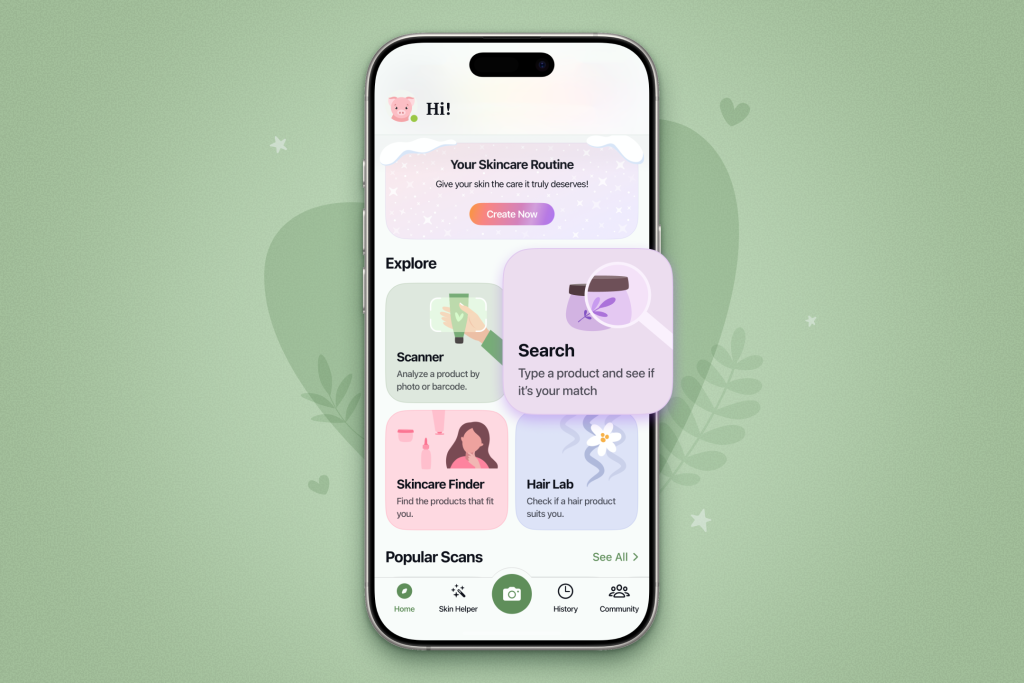
- Tap Scanner in the Explore section or Camera at the bottom of the home screen.
- Take a picture of the product. If scanning its barcode is more convenient, switch the slider to Barcode.
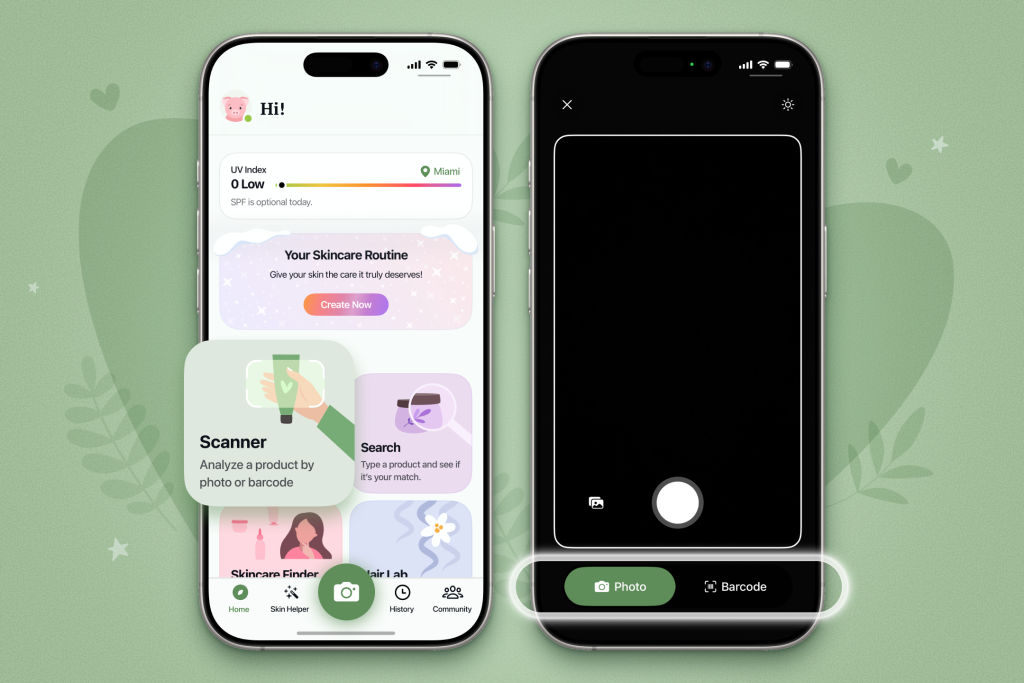
That’s it! You’ll be taken to the product’s page, where you can check its safety rating, see descriptions of every ingredient in the formula, and find out whether it matches your skin type and concerns.
Search By Name or Product Category
The Search tool is also available in the Explore section on the home screen. With its help, you can manually find a product, check its rating, and see whether it matches your needs, with no photos required.
Simply tap Search and type the product name or a general category, like “face cleansing oil.” The app will show all relevant options with their safety rating, ranging from most to least safe.
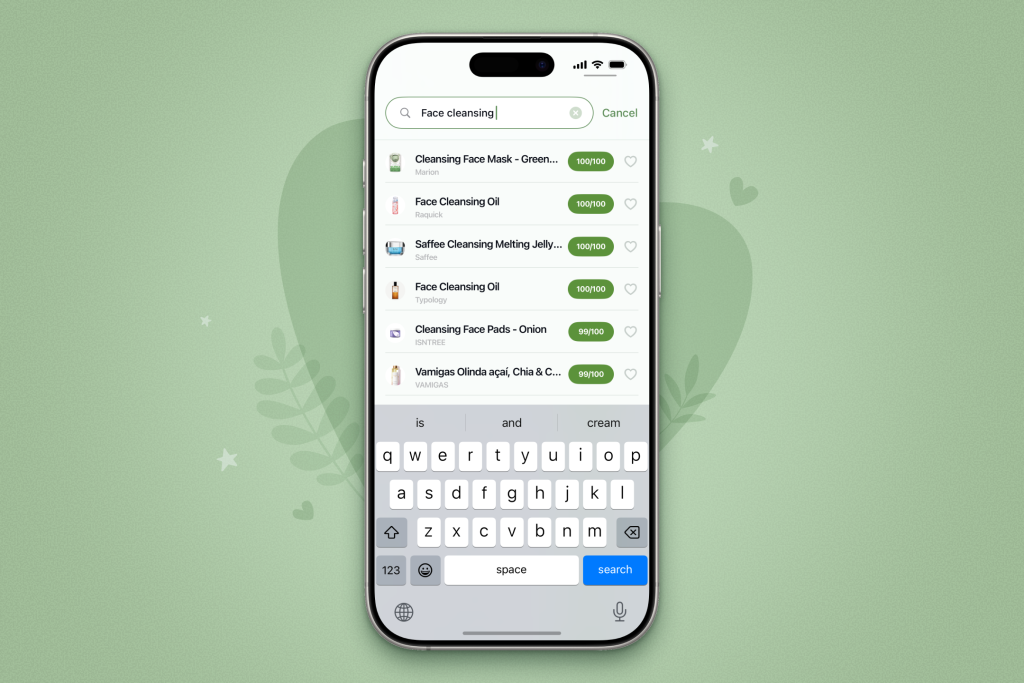
Tap the product you’re interested in from the list to see a detailed ingredient breakdown and the Skin Match page.
Your Skincare Routine
This tool creates a personalized skincare routine for you and recommends products separately for your morning and evening care. You can find it in the home screen, right above the Explore section.
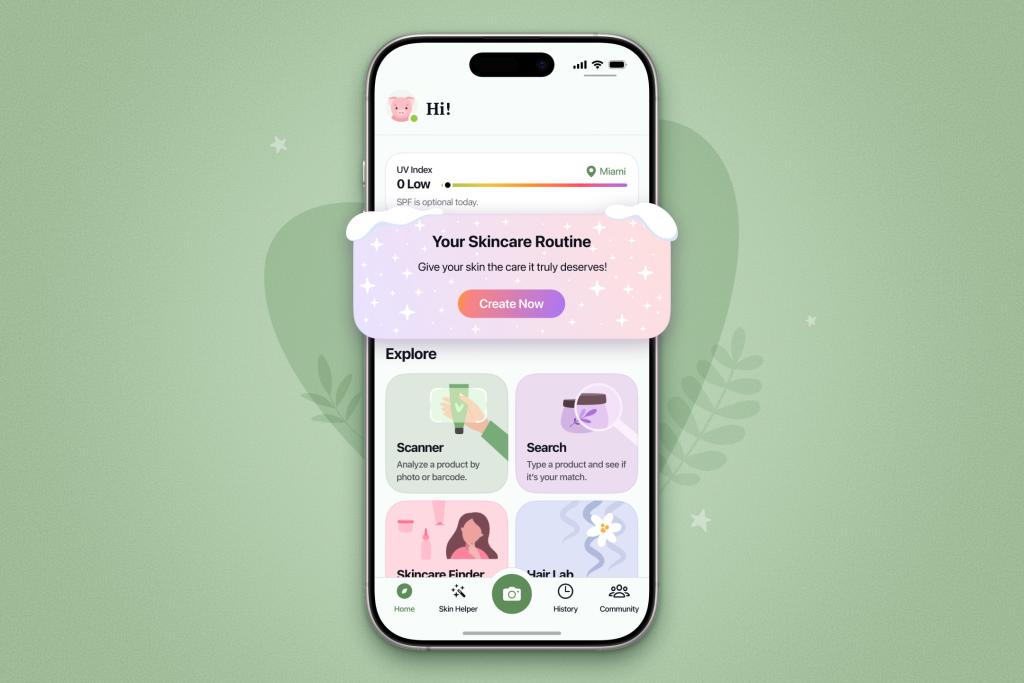
The morning routine includes four steps: cleansing, toning, moisturizing, and sun protection. The evening routine also has four: cleansing, toning, serum, and moisturizing. Each product is clickable, so you can check its formula and why exactly it matches your skin type and concerns.
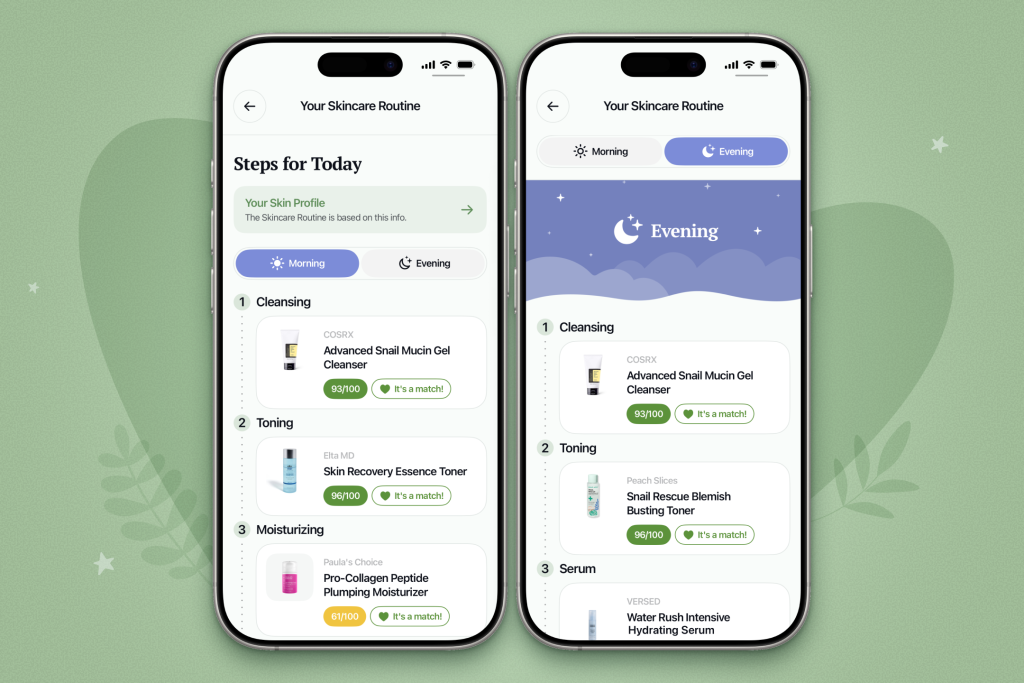
If you’re not satisfied with the plan for any reason, tap Generate a New Routine at the bottom of the page. The plan will also update automatically if you change your quiz answers.
Noted. Is There a Trial Version Available?
Yes, there is. You can try all PRO features by enabling the trial when you launch the app for the first time.
With OnSkin PRO, you get:
- Unlimited product scans
- Personal AI Skin Helper
- Hair product analysis
You can also use OnSkin’s core features completely for free, but with some limitations.